

Access anywhere
Open documents, review pending items and follow processes without relying on a computer.
Documents without the mess
18K+
documents processed
70%
less rework
100%
availability
Digital Signature
100% free for subscribers
Service Agreement
Awaiting signature
Client opened the document
Legal review completed
Responsible party signature
Deadline
Today, 5:00 PM
Owner
Sales
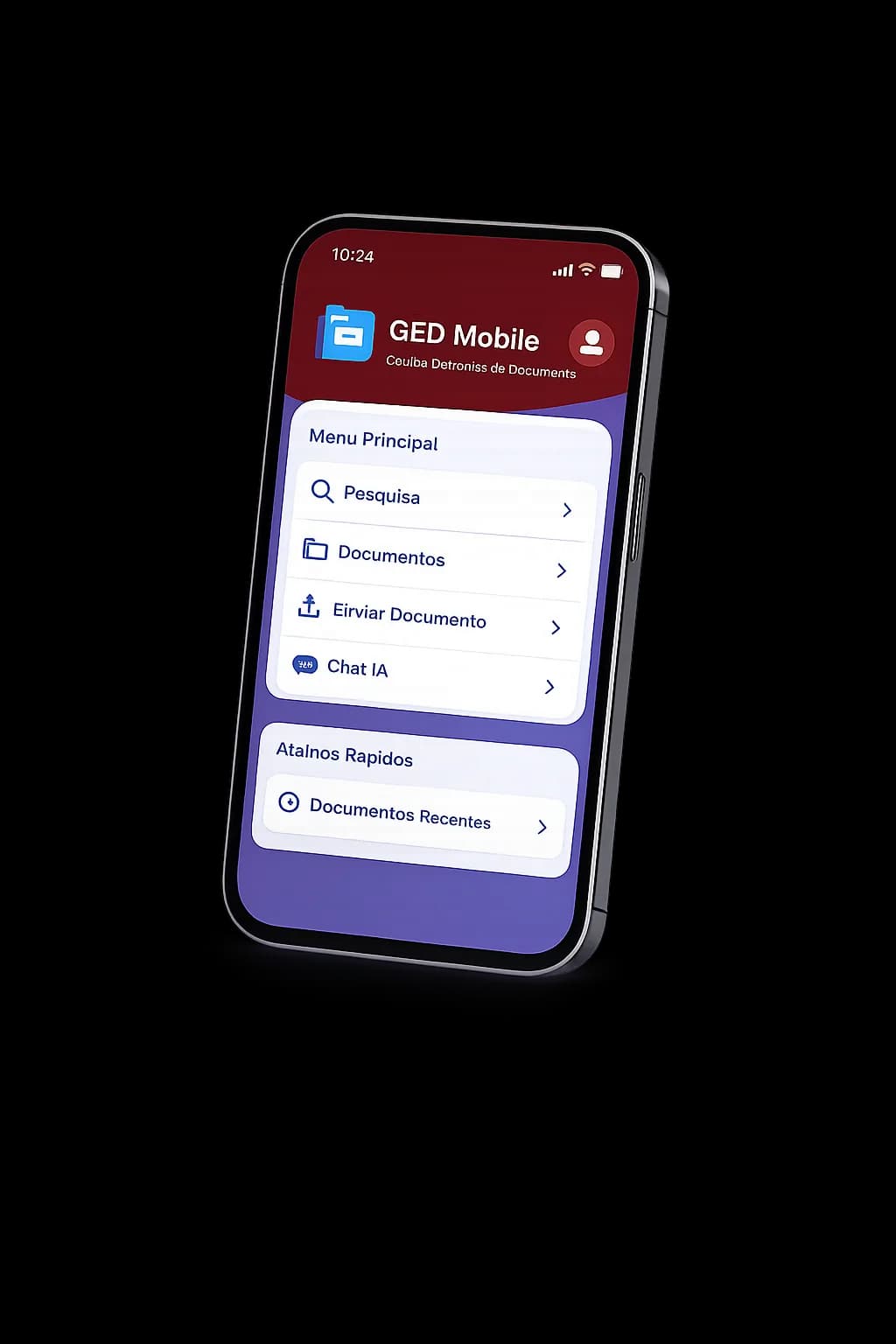
Mobile app
The DocsPaper mobile app brings document workflows wherever your team is: signatures, search, notifications and history always at hand.
Open documents, review pending items and follow processes without relying on a computer.
Send and sign documents with a simple experience for teams, managers and clients.
Get notified about deadlines, new requests and documents waiting for action.
Scan documents from your phone and sign quickly, without needing to turn on your computer.
Features
Send documents for signature, track every participant and keep the full process history.
Organize documents by teams, clients, processes or categories, keeping everything easy to find.
Record important actions, control access and keep traceability for every document.
Save documents in S3 with folder-based organization and secure, scalable copies.
Track pending items, due dates, signatures and stalled documents before they become bottlenecks.
Offer a simple area to receive files, send replies and track requests.
Workflow
Use ready-made templates, import existing files or scan documents directly from the browser. Everything centralized in one place.
Our Desktop SDK connects professional scanners to DocsPaper, enabling fast, organized and secure scanning.
Print from any program on your computer to the DocsPaper virtual printer. Documents are automatically sent to the system through our cloud CUPS infrastructure.
Send documents to clients, suppliers, citizens or internal teams in a few clicks with full traceability.
Know exactly who viewed, signed, replied or still needs to take action.
Protect sensitive information with access control, complete auditing and custom permissions for every user.
Find documents in seconds with advanced search, categories, tags and smart filters.
Keep a complete history of movements, signatures and versions to ensure compliance and transparency.
Solutions
DocsPaper organizes document workflows for departments that need predictability, standards and control without complicating operations.
Eliminate physical folders and manage the entire employee journey digitally and in an organized way.
Keep thousands of client documents organized, searchable and accessible in seconds.
Control contracts, cases and sensitive documents with complete history and advanced security.
Ideal for industries, factories, cooperatives and organizations that handle large volumes of documents every day.
Customers
“The mobile app made our routine much easier. Today we can sign documents from anywhere, without depending on a computer or manual processes.”
“Folder organization made everything clearer. We can separate documents by departments, processes and permission levels without complexity, and finding files became much easier.”
“Document organization, scanning and the Paper SDK transformed our routine. Processes became faster, more organized and secure, improving access to information and increasing productivity.”
FAQ
Answers designed for an institutional SaaS landing page focused on documents.
Yes. The platform helps your company reduce printing, eliminate manual controls and transform physical documents into organized, traceable and secure digital workflows.
Yes. You can structure folders by departments, processes, clients or teams, defining access levels so each user only sees what they are allowed to see.
Yes. With the mobile app, users can view and sign documents from anywhere, bringing more agility to field teams, managers and clients.
Yes. The flow was designed to be simple and direct, allowing users to send, track and sign documents without bureaucracy or technical knowledge.
Yes. The platform is ideal for HR, accounting, legal teams, industries, factories and organizations that handle large volumes of documents every day.
Yes. You can track who viewed, signed, replied or is still pending, keeping control over every document stage.
Contact
Tell us which workflow takes the most time today. The DocsPaper team will reply with a simple rollout suggestion.
Email: contato@digitar.info
Phone: +55 (67) 3253-5440
Support: Monday to Friday, business hours